No models, no studio — every new style still gets on-model shots
Upload a garment, pick one of 12 preset models or your own, choose a scene, and get on-model images that keep the cut, fabric and print.
Start on the free plan · No credit card required
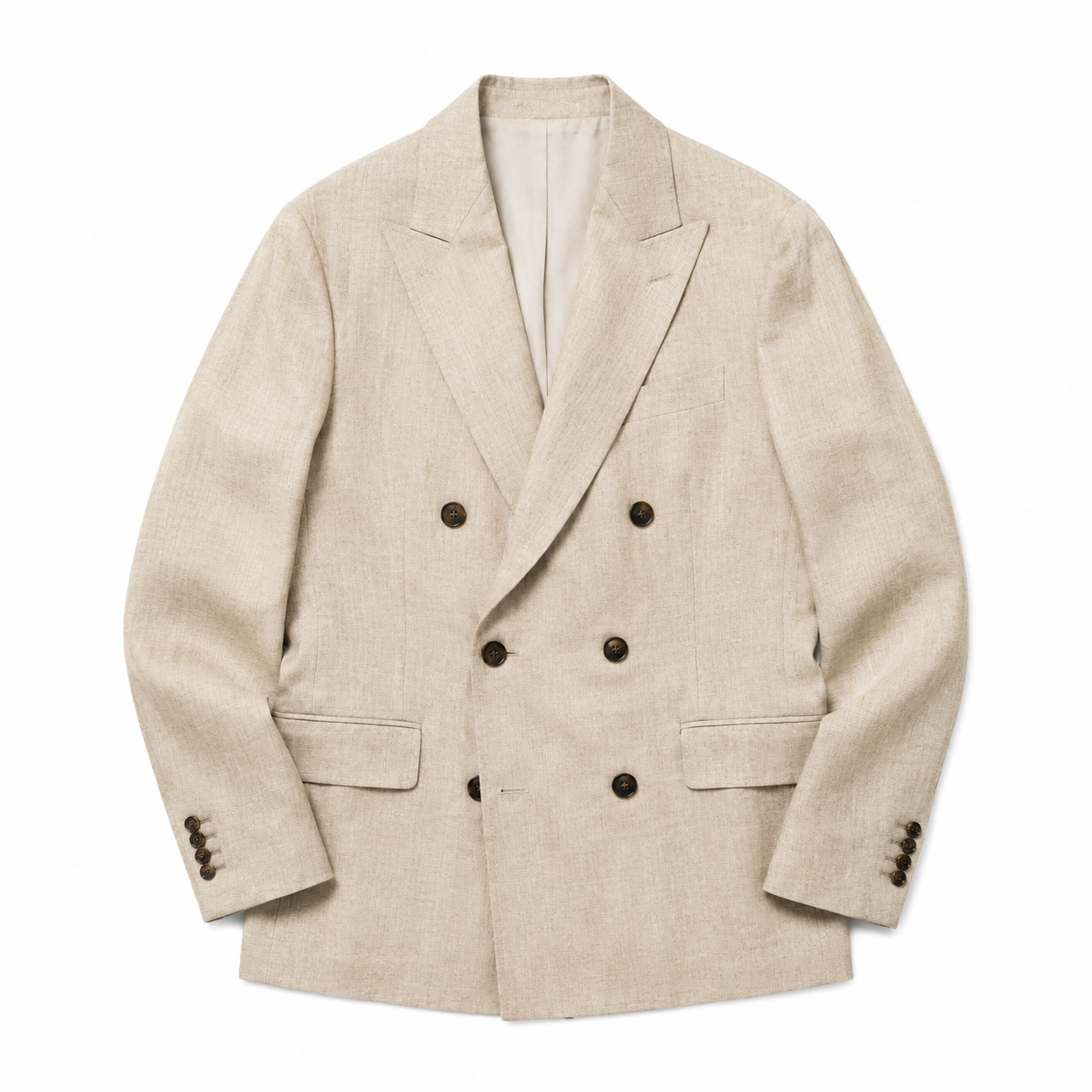
One white-background or mannequin flat-lay is all it takes — the AI reads the neckline, shoulder line, buttons and fabric.
Model · Sophia
North America & Europe
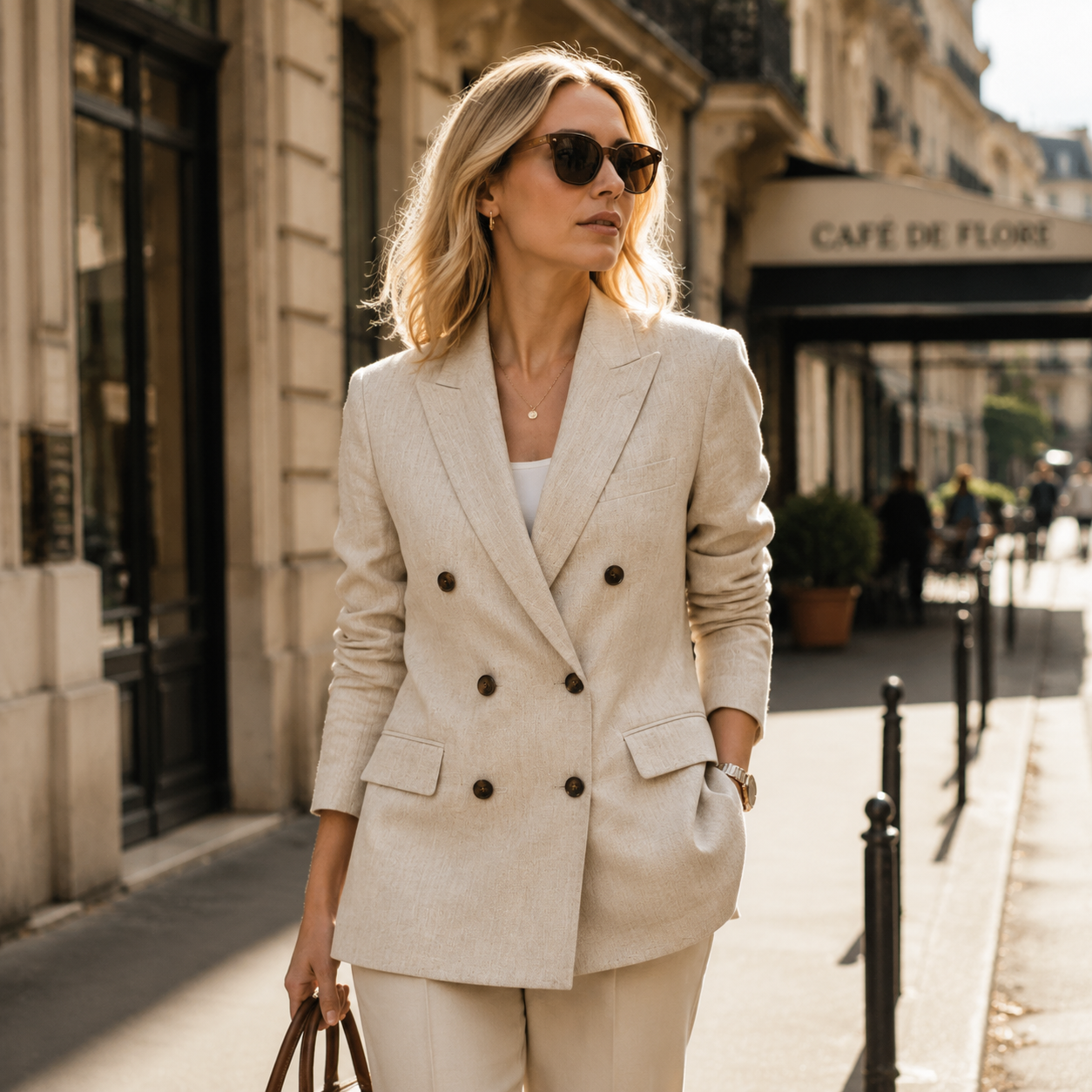
✨ Natural linen creases and drape rendered faithfully, with warm sunlight blending into the fabric texture.
Why it matters
For apparel sellers, the biggest image cost is models and locations
Before
- Every drop means booking models and a studio — and a day only covers a few looks
- Different markets want different faces, so you shoot again
- Flat lays convert poorly, but there’s no budget to shoot every item on a model
With TexoAI
- Flat lays, mannequin and hanger shots all become on-model images
- 12 preset models, or your own to keep one face all season
- 7 scenes plus custom, in 3:4, 1:1 or 9:16
How it works
Three steps from garment photo to model shot
Upload the garment
Add up to 6 photos — front, back and details. Flat-lays, mannequin and hanger shots all work.
Pick a model and scene
Choose one of 12 preset models or upload your own, then one of 7 scenes or describe your own.
Generate the shots
Pick 3:4, 1:1 or 9:16, generate, and check fit and details before downloading.
What it does
The model shots every drop needs
12 preset models
A ready-made line-up with different looks, so you can match the model to your target market.
Use your own model
Upload one photo of your brand’s model to keep the same face across a whole season.
7 scenes, or your own
Studio, city street, café, lawn, beach, home and gallery — or describe any setting you need.
Cut and fabric kept
Generated from your garment photos, keeping the silhouette, fabric texture, print and colour.
Three ratios that sell
3:4 for Temu and SHEIN listings, 1:1 for product cards, 9:16 for short-video covers and Reels.
FAQ
AI model try-on: common questions
Give every style this season an on-model shot
Upload one garment to start — the free plan is enough to try it.
Start on the free plan · No credit card required